
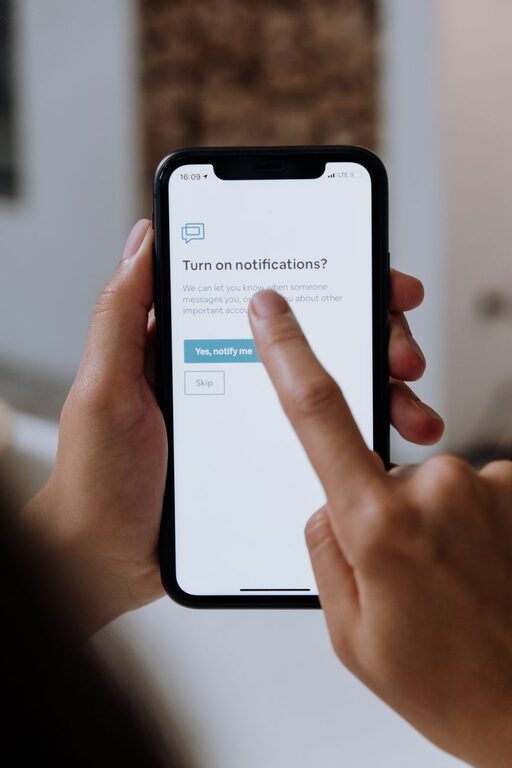
How to Set Healthy Boundaries with Notifications for Better Focus
In today’s digital world, notifications are everywhere. They help us stay connected and informed, but they can also become a major source of distraction. Constant alerts from smartphones, apps, and email can interrupt your focus and increase stress levels. Setting boundaries with notifications is an essential step toward regaining control over your time and attention.
In this post, we’ll explore effective strategies for managing notifications so you can stay productive, relaxed, and present.
Why Setting Boundaries with Notifications Matters
Notifications are designed to capture your immediate attention. While some alerts are important, many are unnecessary distractions that interfere with your concentration. Allowing too many notifications can:
– Break your focus during work or study
– Increase stress and reduce mental clarity
– Interrupt quality time with family and friends
– Affect your sleep when alerts come late at night
By setting clear boundaries, you can decide which notifications deserve your attention and when, helping you maintain a more balanced digital lifestyle.
Tips for Setting Boundaries with Notifications
1. Audit Your Notifications
Start by reviewing all the apps and services that send you alerts. Ask yourself:
– Which notifications are truly important or time-sensitive?
– Which ones can wait until later?
– Are there apps sending notifications that you no longer use or need?
Disable notifications for apps that don’t require immediate attention. This simple step can drastically reduce the number of alerts you receive daily.
2. Use Do Not Disturb Mode
Most devices offer a “Do Not Disturb” or similar feature that silences notifications for a set time period. Use this during:
– Focused work or study sessions
– Meetings or events
– Meal times and quality family moments
– Sleep hours to avoid night-time interruptions
You can customize Do Not Disturb to allow calls or messages from specific contacts, ensuring important communication gets through.
3. Customize Notification Settings per App
Instead of an all-or-nothing approach, explore each app’s notification settings. Many apps let you:
– Limit alerts to certain types of messages
– Turn off sounds or vibrations
– Choose how notifications appear (banners, badges, etc.)
Adjusting these settings lets you tailor notifications to your preferences and reduce unnecessary disruptions.
4. Schedule Specific Times to Check Notifications
If you struggle with constant checking, try scheduling fixed times to review messages and alerts. For example:
– Check email only twice a day (morning and afternoon)
– Set designated times for social media browsing
– Respond to non-urgent notifications during breaks
This approach helps you stay focused without missing important updates.
5. Use Notification Summary Features
Some platforms offer notification summary tools that group non-urgent alerts for delivery at specific times. This lets you:
– Receive important notifications immediately
– Review less urgent alerts together later
Using summaries can help you avoid frequent interruptions throughout the day.
6. Turn Off Visual and Audible Distractions
Notifications often come with bright banners, sounds, or vibrations that draw your eye and break your attention. Consider:
– Turning off sounds or vibrations for less important apps
– Using silent or minimal notification styles
– Disabling pop-ups that cover your screen while working
These small adjustments can create a calmer, less distracting environment.
7. Communicate Your Boundaries
If you work in a team or regularly connect with others, let them know your notification preferences. For example:
– Inform colleagues of your focus hours when you won’t respond immediately
– Set expectations for response times outside work hours
– Encourage use of specific communication channels for urgent matters
Clear communication helps others respect your boundaries and reduces pressure to respond right away.
8. Regularly Reassess Your Notification Settings
Your needs and priorities can change over time. Make it a habit to periodically:
– Review which notifications you still find useful
– Adjust settings based on your current routines
– Remove apps or alerts that no longer serve you
Ongoing maintenance keeps your notification system effective and aligned with your goals.
Bonus Tips for Digital Well-Being
– Limit Screen Time: Reducing overall device usage can naturally reduce notification overload.
– Create Tech-Free Zones: Establish spaces or times in your home where devices and notifications are turned off.
– Practice Mindfulness: When a notification arrives, pause before reacting—decide if it needs immediate attention or can wait.
Final Thoughts
Managing notifications is about creating healthy boundaries that support your focus and well-being. By auditing your alerts, using device features, setting schedules, and communicating your needs, you can tame notification overload and enjoy greater control over your digital life.
Start small by adjusting a few settings today, and you’ll likely notice a positive difference in your concentration and peace of mind. It’s all about using technology on your terms, not the other way around.
